Sketches And Clothes

I’ve been doing a lot of sketching recently. Until recently, when I’ve been making models, they’ve been focused at making something ready to retopologise and rig, something I could put my shaders on to render. It’s difficult, and time-consuming…Having to thing about whether it’ll hold up from multiple angles, different zooms, if the retopology is sufficient for the posing it’ll need…It’s hard.

Yan suggested I should sketch more, and when I tried, it was quite fun. It’s a lot less stressful, I’ve found, when I sketch. Not having to worry about topology or think too hard on rendering. If I want an eye, I can just carve one in. Not have to make a particular cavity for an eyeball because it’ll need to be able to rotate by itself when it’s retopologised. It only needs as much detail as a sketch needs…Not realistic, refined details. It’s….A lot more fun and relaxing. I’ve found myself getting into it a lot more.

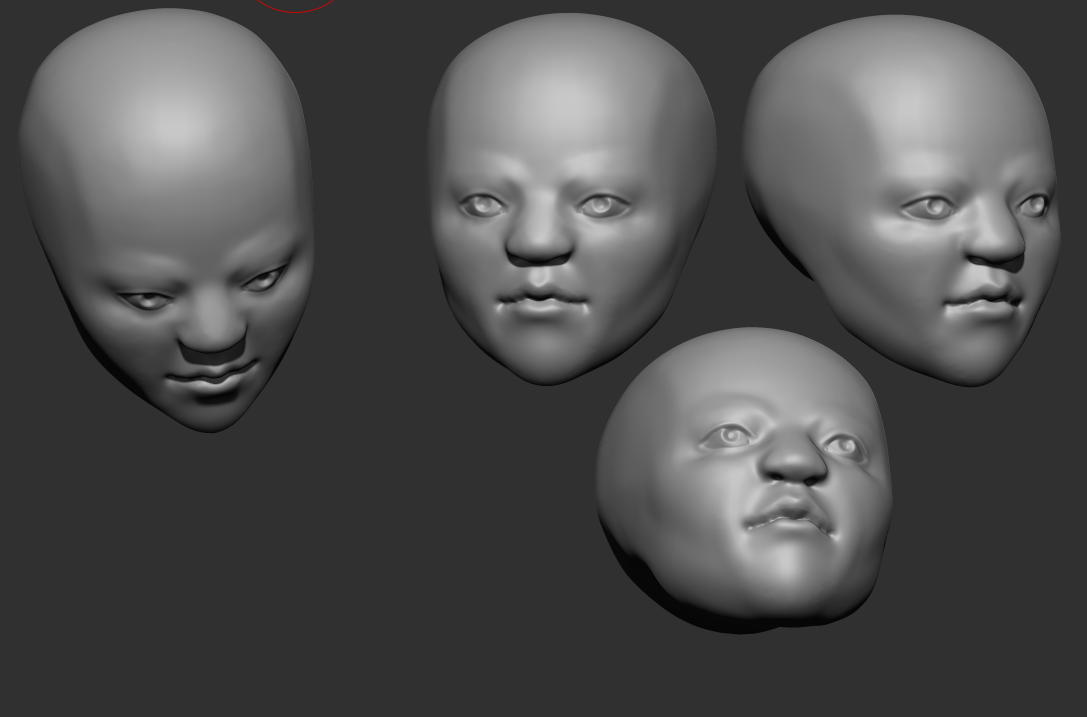
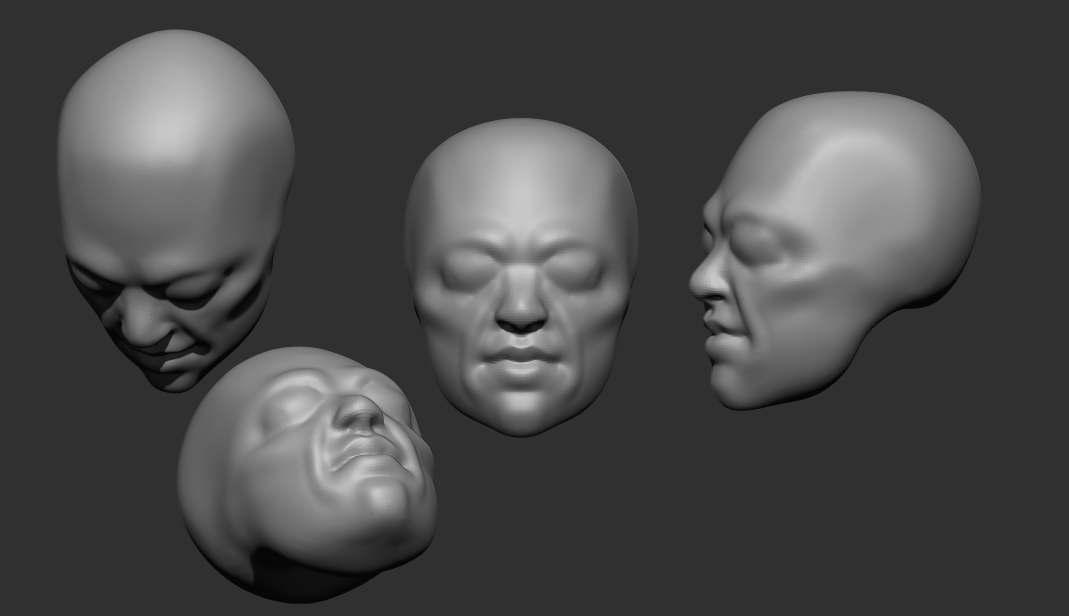
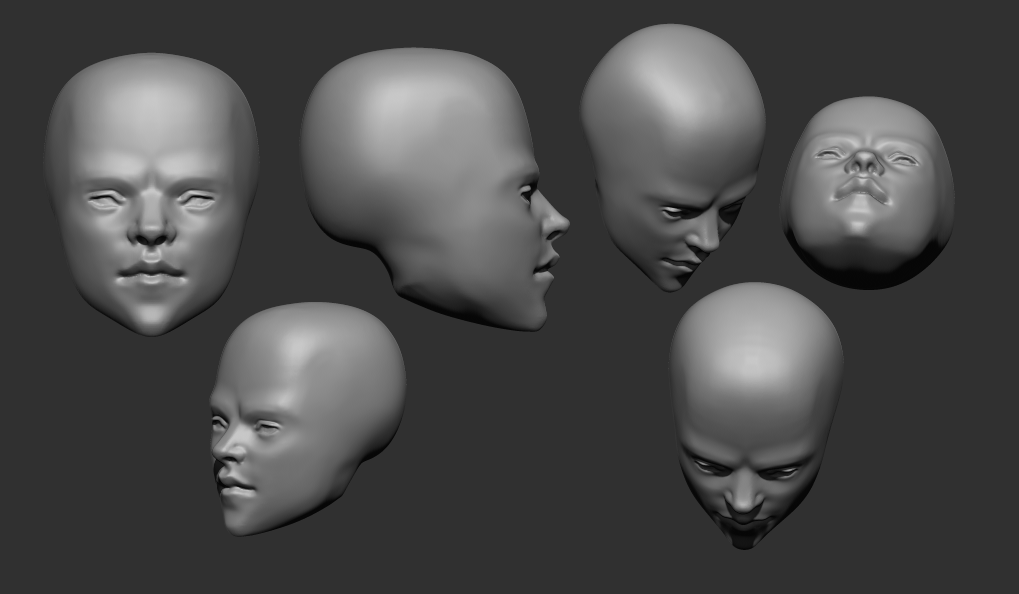
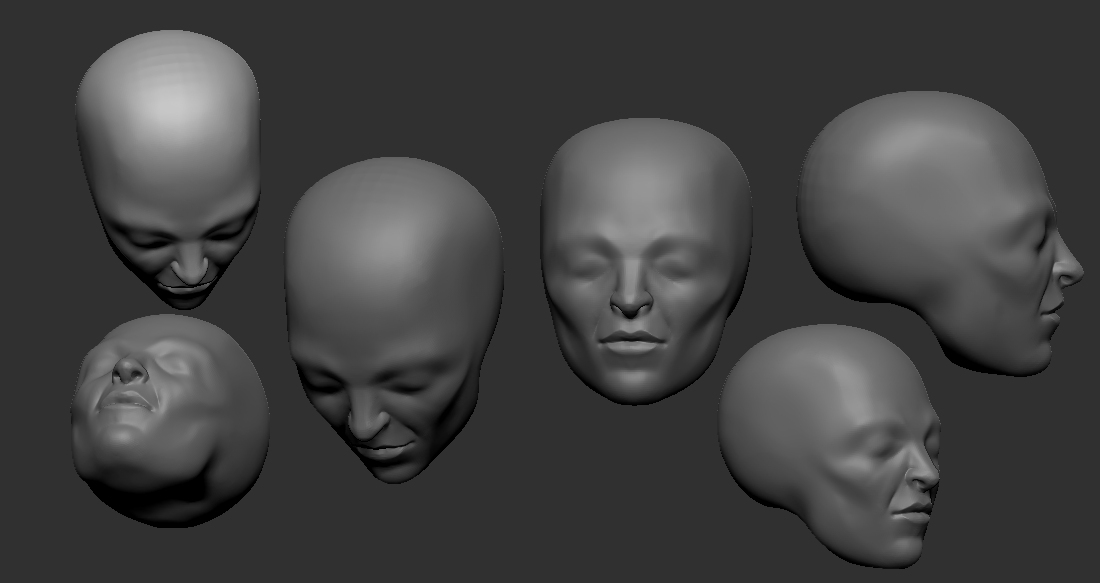
I’ve been sculpting a lot of heads recently. I really want to get better at them. The image on the top left is how they tend to look before I dynamesh them to smooth them out. I like to carve them out more than add volume; it feels more natural to me, and it makes it easy to make the planes. Then when they’re firmly established, it’s easier to keep the shape when smoothing it out. I was quite pleased with the top left one, for a sketch.

I’m also trying to sculpt different kinds of faces….More realistic, more stylised, boney, soft. I don’t want to be only capable of sculpting one type of face. Or end up as one of those annoying CGI character artists that can only seem to sculpt scantily-clad women.

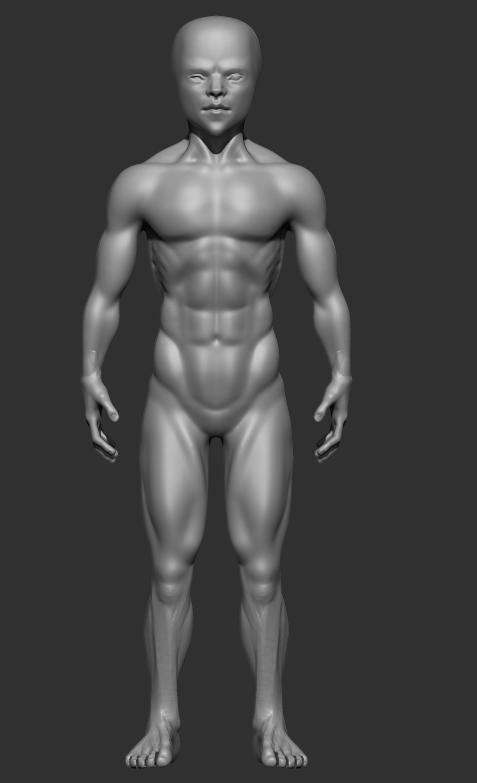
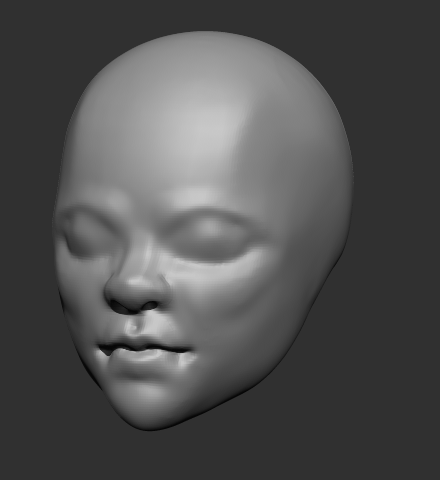
The male character there is a TKB model I’ve been working on. The face below that image is his. It’s difficult….For practice’s sake, I’ve focused on trying to learn realistic anatomy. But the Yugioh manga is very stylised, and they have very sharp faces. I couldn’t see Bakura, or any of them, with a very realistic appearance, like a wide chin or such. Takahashi’s style favoured sharp corners. So I tried to adapt that to a more realistic style, to make a semi-realistic type, keeping the sharp chin and nose, but not departing totally from reality. I’m not sure if I succeeded or not…But it’s a work in progress.

I feel fairly satisfied with his body, at least. It’s definitely not perfect, but it is better than previous ones I’d done. I took a bit of a different approach to sculpting the legs, which seemed to work out. The lower legs look better than previous efforts…Though the upper half isn’t great. I should also tweak the arms a bit…They don’t seem quite right. Too angular.

I also decided to practice making clothes. I’ve hit a wall here, unfortunately. ZBrushCore doesn’t seem to have good tools when it comes to making clothes with any complexity.

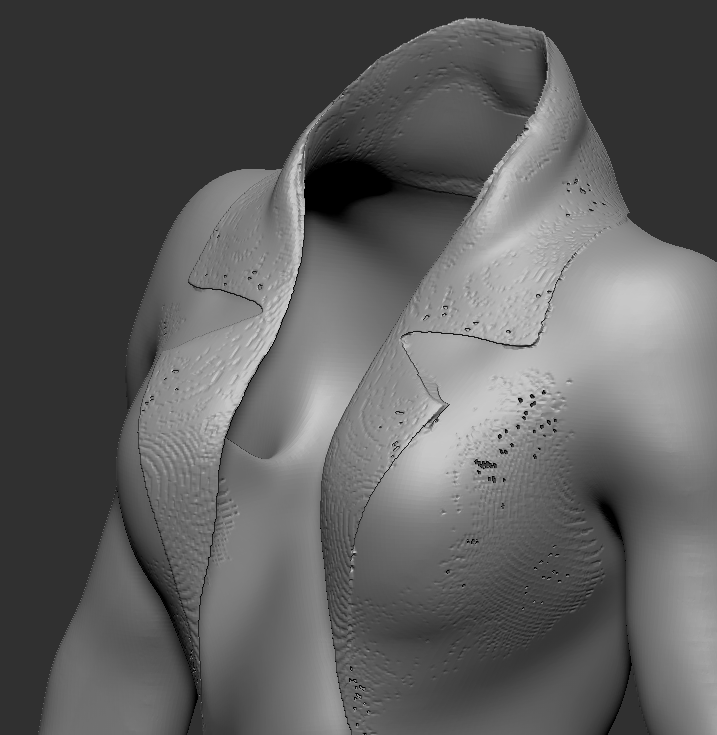
I tried making a jacket. This is an important test case because the flaps are a bit complicated. They fold over, but don’t connect, to the main jacket. Core doesn’t have any modeling tools, so I made it by masking and extracting. But when I tried to merge them, the image on the right happened. The dynamesh fuses it onto the jacket, and, I think because it’s narrow rather than thick, creates holes. It’s very frustrating….I realised working on that Maya model, it would be better to be able to just sculpt the clothes. Then I don’t have to mess about with topology until I have to retopologise it, and case relatively easily add things like zips, seams and buttons. But if it can’t handle something as simple as a flap, it’ll most likely choke on anything reasonable. And I really don’t want to have to model it and then waste hard drive space exporting it into ZBrushCore and then time having to align it properly. I tried using 3DCoat’s retopology tools to make a basic clothing mesh and then sculpt it there, but it can’t handle backfaces and lacks convenient tools to model anything that isn’t directly on the mesh, so I couldn’t really get it to work. They’d advertised their new cloth simulator and the support they’d put in the retopo room for making clothes, but it’s not really convenient for anything elaborate….Seems to be a running issue with 3DCoat.

So I’m very frustrated because of that. Character models aren’t good without clothes. I need to get better and able to make those. Especially given that some of them are very character-important, like TKB’s jacket in our version of citron. I have to find a solution.

Maya And Changes

I finished my model of Maya. In the end, I’m very dissatisfied. The character model itself isn’t terrible, but has a lot of flaws. I modeled the clothing the old way, thinking it would save some effort, but it ended up being more of a hassle. I think next time, I’ll sculpt and retopo it instead. I also noticed clipping on the skirt that shouldn’t be there; it’s rigged the same way as the body, so it should have moved as one.

The Freestyle lines behaved unexpectedly in a lot of places, too. The mouth and fingers, for example, are totally covered by the lines. It’s not a good look at all. I wanted to change it, but for some reason, the shader took a ridiculously long time to render; it was all I could do to get one image. Partly, it was because Freestyle, I think; the hair is dense and a bit complicated, so it probably made it choke. I added the hair to a collection that Freestyle should have ignored, but I must have made an error, because it rendered it anyway.

I did manage to work out rigging now, at least. I used a mesh deform for the body, and then armatures for the hands and face. It was really tricky setting up the vertex groups just right for that, and a hassle, but it can’t be helped.

I have that now, though, so I’m going to save it separately for easy reuse on other character meshes. That way I won’t have to re-rig entirely each time. In this instance, I made a larger duplicate of the main one to use on the clothes. Next time, I might just make only one cage for all of them and just make it bigger. I need to change the weights in some places, though. The arms didn’t deform quite right. It might be a corrective shapekey requiring issue.

I’ve also realised I should change tactics with some things. With this model, I used normal maps instead of a higher poly count, because I thought a lower-poly mesh would be easier to work with. It was, but it also limits it. I can’t modify the shading normals the way I could on a standard mesh, because the normal map would be applied after that. And it ended up being a pain trying to keep the details via the normal map; I think next time, I’ll just make a higher poly mesh from the sculpt and preserve the details as much as I can via raw polycount instead of tricks.

I also need to revise my watercolour shader; I need to find out why it was so slow to render, and fix it. It was too sluggish to modify the shading using my vertex colours method, so I had to render as was, which is not ideal.

I have a lot of things to do differently next time. I’ll do better. Next, I’m going to make models of Malik and Mariku using those techniques.

Watercolour V8

I’ve upgraded my watercolour shader again. I found it was performing badly, so I rewrote it entirely. It worked better, for a while, but seems to have become slow again. I’m starting to think it’s just a Blender issue. I have also noticed, it’s become so complex, even recompiling it just for the material preview is very slow. It’s quite terrible.

I modified it to work better with retaining the colour on dark colours. Basically, it does the standard interpolation, then uses that for a second interpolation with a set border, only falling off from the retention amount to white after that point.

I also added ambient occlusion. It wasn’t difficult, but it’s harder to get right than normal shading. I may just end up faking it instead.

Lastly, I changed my interpolation function. It used to just switch between them, but now I’ve given it the ability to interpolate between different types of blending, for more varied results and more control. It’s not performing well, though; I should interpolate between their respective factors rather than doing all of those interpolations and then blending the result.

Somehow, this shader is a lot slower than V6 and V7. It might be the AO, or something else; I need to get to the bottom of it, because I need it to be fast and responsive.

I’m also finding, I need to work on the transparency. Things like sleeves are still an issue. I can bypass it by masking out bits manually that would be covered by worn clothing, but it’s inconvenient. I’d prefer not to have to deal with such things. I need a way to determine which things are occluded from view by others and not render them, but that seems like it would require ray tracing, which Eevee is not capable of at the moment. The edge soak is also rather weak on the skin-coloured monkey head.

A way to determine if it’s being viewed in perspective or orthographic would also be nice. It doesn’t display right in ortho anymore, because I used my depth-detecting function to scale the edge soak and edge noise textures so that they’ll stay relatively consistent whether they’re up close or far away.

I still have a very long way to go before this is what I want it to be. Still, this is progress. I also finished a character model of Maya, from Persona 2. By doing that, I worked out things I need to change. Next, I’ll make a post about that, then next I want to make Mariku, Ryou and the others.