Thief King’s Progress

Recently, I’ve been working on a model of Thief King Bakura. I feel like I’m finally making some progress. I sculpted him using dynamic topology, and then dynameshed him to smooth out. I used a male base mesh I made, which I’ve saved for use on other models for time saving.

I’ve run into problems with clothes, though. I couldn’t get sufficient quality from ZBrushCore. They’d melt together, and elaborate clothing seemed borderline impossible. So, I decided to try ZBrush full. I’m currently using the trial version, and its features are very convenient. In particular, Zremesher. I had to faff around with it for a while to learn how to make it tick, but I seem to have a decent grip now. Apparently, the trick is to give it less strokes, not more, which tripped me up.

It seems the less, the better. The topology isn’t quite perfect, but very good, and a huge time saver. Up until now, I’ve been using 3DCoat to retopologise the body, then having to manually do the face and awkwardly fuse it on, which takes time and isn’t as clean.

I used this for Bakura’s model. But I’ve realised some mistakes I made while doing so. After retopologising him, I discovered ZBrush seems to only allow you to bake normals from a higher subdivision level to a lower level one. You can’t, apparently, bake from one subtool to the other. I had the high detail, dynameshed TKB model, and wanted to bake them to the low detail retopo TKB model which was a different subtool, and I couldn’t. So on this occasion, I had to bake his normals in Blender. I also couldn’t seem to get the UV Master to work for me. It may be intuitive for some, but I’d rather work with real topology. Manual control would be better for UV mapping.

Anyway, this is the current state of my TKB model in Blender.

This time, I’m relying a lot more on on-model detail. My Maya model relied more on normal maps because I wanted to avoid having too many polygons, but it ended up being too much hassle. And at least this way, I have flexibility; you can always sculpt corrective shape keys for muscle movements on the fly, but a normal map is stone. You can swap it out, but it’s not truly dynamic. So I’m only going to use it for minimal things. I know the Guilty Gear Xrd method, which is popular, does it all with real geometry, but I don’t think that’s practical for everything. Not all details would have a solid start and end point. Scars can often fade out, for example.

Currently, I’m working on his shaders. I need to sort out the paper texture, fix the shading edge soak, and add masks to define differently coloured areas, like his scars. I also intend to modify the normals this time, so I don’t have to correct as much using vertex paints. Since the performance doesn’t seem fast, those kinds of changes are sluggish and difficult. I’m not really satisfied with my shader, but right now making stuff is more important. I feel like I’m making progress fighting my perfectionism. I see a lot of flaws with his model, but I haven’t let myself stop and go backwards.

I don’t want to go backwards. I want to go forwards.

I didn’t remember to record to show my process while working on this, but I do have previous versions as subtools, so I decided to make a gif to show the profession. It’s something that encourages me, too. Looking back at the progression of it from a blob to something looking reasonably like a person. I like to watch timelapses like that sometimes. I’m really interested seeing different artists’ techniques.

While working on Bakura, I was listening to some music from a drama I’ve been watching with Yan, Crash Landing On You. It’s actually very good, and has a nice soundtrack.

These tracks really remind me of citronshipping, somehow. Especially Picnic…It makes me think of nice scenes with Bakura and Malik relaxing at home, bantering, doing things together, having fun….Making Bakura start to realise that life has things worth living for in it, too. That’s something I want to show. After I finish Bakura, I’m going to make Malik to go with him, haha.

Speaking of things I like to see, I’ve been watching videos from a channel recently called DokiDoki Drawing. It’s a Japanese channel focusing on art.

I’ve been really enjoying their Pro VS Amateur videos. It’s nice to see different ways they approach things, and it’s quite informative when the professionals explain things about their choices, like things they do for balance, emphasis, style, etc. I’m not a 2d artist, but it is enjoyable seeing them talk about it. It might be better for me that way; if they were 3d artists, I’d probably feel bad about my skills watching them. They also seem to have a good variety of people on it; foreigners as well as Japanese people, amateurs and professional mangakas, etc. It makes me a bit more motivated seeing people’s progress. And they don’t take themselves too seriously; I remember them joking in one video that a cyberpunk design came out more steampunk. Not getting angry about it or taking things too seriously and losing the fun of it.

Uchida Shinnosuke in those videos has interested me; she’s appeared in a few. From what they’ve mentioned, it seems she particularly enjoys and focuses on cyberpunk. But cyberpunk isn’t very popular in Japan at the moment, it seems. But instead of ditching what she really enjoys, she continues to do it, and aims for the people who do enjoy it. That’s something that’s nice to see. Too often, people act like you should just forget what you like and go for some…Mass market appeal. I hate that kind of thing. I can understand incorporating elements that give something wider appeal. That can be a savvy move, sometimes, I think, but to ditch everything I’m interested in just for that? It would be a pointless endeavour. So it’s nice to see someone like her persisting with the genre she finds interesting regardless of whether or not it’s currently in fashion. I’m also quite fond of cyberpunk, from what I’ve seen, so that helps, haha.

Anyway, I have more to do. I think I will invest in ZBrush full. I can’t afford to buy it outright right now, so I’ll have to cough up to subscribe for a few months and save my pennies. Being able to bypass the pain in the arse stuff like retopology is a godsend. It’s not a creative step…It’s just a pain in the arse technical one. I also spent some time on my body deform cage. I’ve added IKs to the legs and arms and spine. They’re not super complicated ones, but they make it easier to pose. They were difficult to set up; I haven’t done them before now.

I’m sure animators are cringing. Or anyone with any decent experience rigging, haha. But it’s a step up. I’ll need to fix the deform cage, but as long as the bones work.

That’s all I have to show for now. This post became a bit of a ramble….But it’s good to talk like that, I think. I don’t want my blog to be just some formal thing.

Next up, Bakura’s clothes and hair. I’m going to try something a bit different this time.

Watercolour V6

It’s been a while since my last post. I mean to update more often, but I don’t end up doing it enough.

Since my last one, I revised my shader a few times. I’ve finally got one that I’m finding to be a decent mix of stability and functionality. I haven’t changed too much from before; I’ve swapped out the procedurals for baked textures from them, though it doesn’t seem to make much difference. I also was annoyed with the way I was applying texture in the previous version all as one at the end. It makes more sense to texture the main and shadow colours before they’re ever seen. Other than that, it’s mostly the same.

I recently worked on a model of the Kaibacorp building for Millie. I decided I’d practice with it.

I applied the shader to it, and I’m quite satisfied with the results. It’s…..Not perfect, but better. It seems to work better on static objects than organic things like character models. It’s less tricky….Characters have a lot more than can trip you up, I find.

I rendered two versions. One in standard perspective. The second is using a fake perspective on top of the usual one, made with the Lattice modifier. Faking perspective is very important to give it a 2d touch, so I wanted to experiment with it a bit. I should use a Mesh Deform in future, I think, for greater control, but the Lattice is quite useful. It’s quick and easy, whereas a Mesh Deform takes time to calculate. For this kind of perspective, I think it’s quite helpful. I could probably have exaggerated it more.

I also tried applying it for an experiment to a character mesh I’ve been sculpting. I’m still struggling, unfortunately, with getting satisfactory, crisp character models. It’s the same problems….The eyes, the mouths, nails….Those small details. I could model them onto the retopo mesh and just not use a normal map, but it seems…..Reductive. I want to be able to capture those details, without having to have a huge polycount. There are some times when I might want to throw out the normal mapped detail, but I’d rather have it conveniently saved to a texture map the rest of the time. Lower poly meshes are easier to work with and perform better.

In this case, that’s a work in progress mesh of one of my D&D characters, Nagi, a half-orc wizard. I’ve had difficulty with the paper texture on grey colours; with my current settings, I found it was too dark, so I’ve recalibrated it. The way my shader applies paper texture and edge soak according to what colour is used couldn’t be called physically correct, I think. It’s certainly no simulation of real watercolour. I’m just going by what appears right, what looks and feels right based on what I’ve seen. I think that’s probably a better way to go about it, as far as art goes.

I want to work on the edge soak, though. It’s not very prominent there, and I’ve found at greater sizes it seems to just….Dissolve.

At any rate, I feel like I’m making progress. I want to be able to update more soon.

2020

So, I’m slightly late, but I decided to make a post about last year, and what I want from this year.

2019 was a bit of a positive year for me. It was difficult, personally, with some things that have been going on in real life, but I think for my art it was a bit better. I have a terrible perfectionism problem. Even with fics. But I was able to make a little bit of progress on it last year. I started writing True Sound, and did several chapters of An Unconventional Union already with Yan. I also wrote several more chapters than are currently released.

But, if you look at the amount of posts I’ve made here, and on my Tumblr…It’s not many. I experimented more, prototyped…But I didn’t do nearly enough finished works. I was still so bogged down trying to make it “good enough” and being bothered by how 3d it looked. Because of that, I didn’t finish much, even though I wanted to. I’m frustrated with myself for that. I want to do more. I want to be better and show my art and ideas, too. I tried last year to beat that stupid perfectionism, and I progressed, but it’s still there.

This year, I want to kill it. To make a lot more, and post a lot more, without worrying so much if it’s not perfect, or how NPR or 2d-looking it is. Those are my goals, but if I spend so much time trying to get one perfect thing, what will I have to show for myself? One thing.

Another thing I want to work on is my energy. I find for some reason, I’m frequently low on energy. It makes it difficult to do anything, and with the internet and such in easy reach, it’s too easy to end up vegging out for hours. Part of it is because I’m off my antidepressants, I’m sure. But I need to knuckle down and make myself focus, and, again, push that perfectionism aside. I have fics I want to write, and art to make. It won’t do itself. Though I’m told I should also take more breaks, too, rather than being constantly in a mindset of thinking I’m meant to be working. I find it difficult to relax these days. I hate it. I can’t seem to switch off, but being switched on doesn’t mean I’m in the right mindset or have enough energy. It’s like being awake enough that you’re not asleep, but too tired to move.

Still, I am trying. To prove that, I have some work in progress images to show. I started a Ryou model the other day. After spending a few hours, I was able to make his face and upper body. He also has a lower body, but, as per usual, it’s trash. I’m very, very poor at legs and waists. I invested in some videos about sculpting and anatomy that I need to watch to learn more, and get more references.

It’s extremely rough at the moment. I started out sculpting him a bit aimlessly. I’m not sure exactly what I’m doing with his face. I know that I want faces on my Yugioh art to be stylised in some way, but I’m not quite sure how, so I’m just trying to go with what I like.

Now that I look at it, the side is very squished. That’s not right at all.

I think the look I’m going for is sort of psuedo anime? Slightly stylised proportions and shape, but keeping some realistic elements, like realistic anatomy and proportions, and features like noses, rather than more common anime kinds like noses stylised to points, or, on very stylised or chibi characters, that sort of snout-shaped face.

Looking at Yugi’s hair as an example, I don’t think Yugioh characters would adapt to a totally realistic style very well. If he was rendered in complete realism, his hair would destroy it by looking unnatural as hell. It just isn’t how realistic hair looks or works, especially elements like the red edges to it; that could, maybe, be styled as his hair becoming redder at the ends or something, but that wouldn’t hold up from multiple angles. So, I think a semi-realistic style at most is best for him and the other Yugioh characters I want to make models of.

My other problem is that Ryou is very slim. I’m used to doing more muscular characters to learn anatomy, so I’ve made him far too fit just by default. I need to slim him right down until he looks suitably bishonen, haha. But truly, this model is, in its current state, embarrassingly bad. I didn’t reference a lot so far, partly because I couldn’t be bothered and partly because I was in the zone when I was doing it and didn’t want to kill my momentum. So it has lots of problems, like the terrible waist that has no hips, the weird shape from the side, the back being altogether horrible, the lack of ribs and serratus, which I basically flattened to oblivion because they were horrible…He’s too broad, to boot, and too narrow from the side.

I wanted to just power through it before I lost momentum by stressing about those, but I really should correct them before sculpting more on him. If he’s missing landmarks and correct muscle placement, it won’t look better when it’s slim and smoothed; it’ll only be blobby.

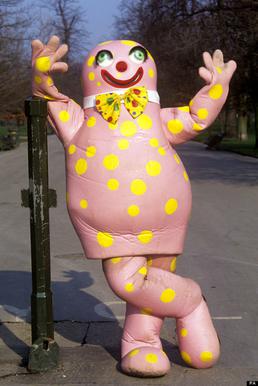
At least he won’t be this Blobby.

It’s really horrible to me, so far. Some work can fix it, and I’m going to try that. Yan encouraged me to show more wips and all, so I’m trying that. I want to show more of them as the year progresses, too. I’d like to get more skilled and able to finish them better and more quickly, though.

Still, this is something, at least. And when I put it through 3DCoat’s basic renderer, it doesn’t look entirely terrible with shading. There’s a lot to fix, but it exists, at least. And this as it stands, even when corrected, should be a far cry from how he’ll look with my shaders and NPR techniques.

So, I think I am making progress. Baby steps, maybe, but still, progress. I want to post more this year, so hopefully I’ll post some updates soon as I progress on him. I want to make a Ryou basemesh to derive our au-versions from, and do the same for other characters as well.

For now, I’ll just try and work on it when I have time, and try to push those negative thoughts out of my mind.

Mirror Ryou and Painterly Compositing

A few month few months ago, after having used Cycles for a while, I was frustrated by its lack of support for NPR features. Being designed for realistic rendering, it didn’t lend itself well to stylised renders. But I came across this post in a thread on BlenderArtists, which inspired me to consider ways to use the compositor.

A watercolour and pencil render using Blender’s compositor, by System on the BlenderArtists forum.

So I spent a few weeks trying to work out various ways I could use it. My aim was to create a painterly style, or some approximation of it, using the compositor.

My own replication of that technique.

I started by replicating that affect to familiarise myself with it, then doing my own thing from there. After having spent several weeks trying different thing, I came up with my own effect, and became very familiar with the advantages and disadvantages of using the compositor to create NPR renders.

The advantages:

  • Compositor changes are relatively quick, and don’t need you to re-render an entre scene, saving a lot of time.
  • Compositor changes allow you to affect the image as a 2D render, rather than having to work out how to make things work in 3d.
  • Compositor changes allow you to use some functions that aren’t available for shaders, such as Dilate/Erode, Sharpen/Soften, Sobel, etc.
  • Using the Compositor allows you to texture an entire image in one go, rather than having to apply it to everything.
  • Allows access to many render passes, allowing you a lot of flexibility.

The disadvantages:

  • Each change takes several seconds to show, particularly with complex compositing.
  • One size especially doesn’t fit all; different scenes, such as bright, dim, interior, exterior, may require significant changes to the compositing to look good, or even maintain a similar appearance.
  • No convenient way to control the main and shadow colours of individual objects.
  • Any change, such as rotating a light, changing size, character posing, etc, will require being re-rendered before the compositing can be tweaked; an issue with shaders, as well.
  • Inconvenient to pull from one file to another; shaders on a 3d model would just come with it when appended.
  • Entirely after the fact; it’s manipulation of render passes after they’ve been rendered to try and change them into the desired result, rather than a shader-based method which would likely be designed to ensure the renderer gives the correct result each time.

After a lot of experimenting, I was able to come up with this render of a 3d model I made of Mirror! Ryou, an au version of a Yugioh character that my friend Milliekou and I came up with.

Mirror! Ryou, rendered in Cycles, modified in the compositor, using Freestyle for the lines.
A gif showing the key stages in my compositing. This model is old now.
  • My process starts by doing the usual render.
  • Then, I get the shading Value by dividing the Value of the original image by the combined Value of the Diffuse, Glossy, etc, passes, which I can use as a factor later.
  • Using the Ambient Occlusion pass and Dilate/Erode nodes, I make a mask and mix the background colour with the original colour of the mesh to fill the general shape of the character, giving it soft edges.
  • I also got the light colour on the object, multiplying it with the original colours and then using the shading Value through a colour ramp to make the main shading on the model. I also used the Dilate/Erode tool to make it less perfectly accurate, as perfectly accurate shading is a dead giveaway.
  • For some texture – a key element, I’ve found, of making something look imperfect and not like a 3d model – I massively sharpened the original shading Value, dilated it, then used a Sobel filter, giving it many rings, that I then multiplied the image with to create some texture and imperfection.

I made some errors here; his belt, for example, should be glossy, but I didn’t combine the passes correctly. But overall I’m pleased with the effect, and would like to replicate it in the future. I want to make it more reliable to be able to make lots more images with that style and perfect it. Although, I’m currently waiting for Blender 2.8 to come out official and get more render passes; being able to replicate this with Eevee, if possible, would be extremely helpful. In the meantime, I’m experimenting against with NPR shaders using it, as it allows many more options. I’ll have another post later about my results with that, and hopefully some more actual art. Ultimately, I’ve found the compositor warrants more investigation, and can be a powerful tool, as long as you realise you’re working around Cycles, not with it.